
Tattoo studio CRM features for bookings, projects, clients and payments
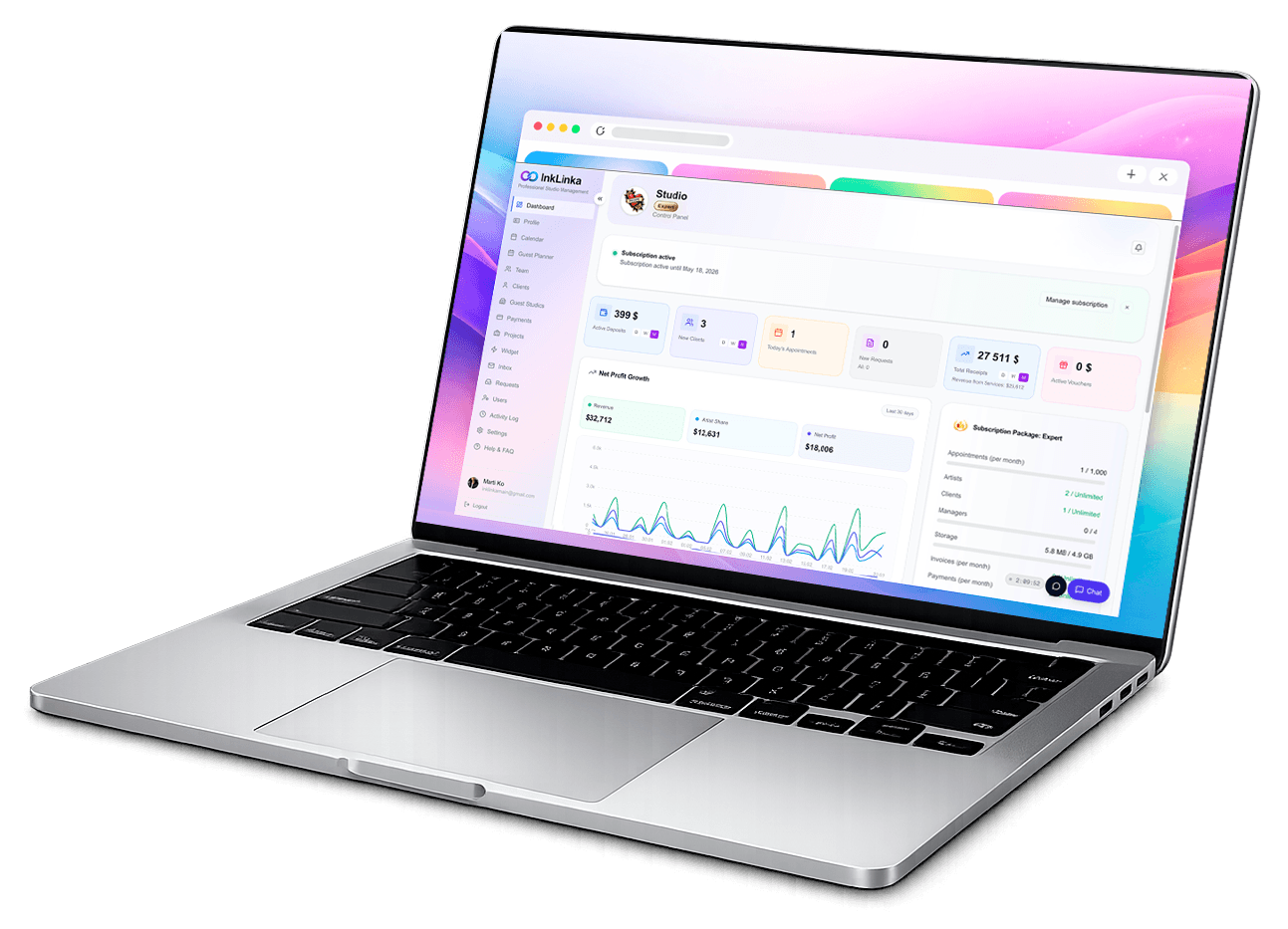
Manage booking requests, tattoo projects, sessions, clients, deposits, payments, artists and studio communication in one connected InkLinka workspace.
Projects, sessions, clients, payments, and team access stay connected in one workspace - clear, quiet, and easy to trust.
One workspace
Everything stays connected, so the day stays clear.
Each project contains sessions, references, payments, and client notes. The studio view always knows where things stand — no chasing, no guessing.
Automated deposits and booking
Collect deposits and confirm bookings automatically via personal links and booking forms.
Unified communication inbox
Work in one thread across email, WhatsApp, Instagram, Facebook, and built-in website chat.
Built-in AI for booking chat and manager workflow
Use the built-in AI assistant in your website chat. It helps analyze conversations, extract booking details, suggest event drafts, and propose relevant project names from message context.
This reduces routine work for managers and makes handoff from chat to schedule faster and cleaner.
All files live with the project
No more phone galleries or scattered references. Everything is attached once and stays there.
Navigation stays familiar
Projects, calendar, clients, payments, team. Everything is exactly where you expect it.
Access is predictable
Artists see their work, managers see the studio, guests stay inside their window.
Work looks consistent everywhere
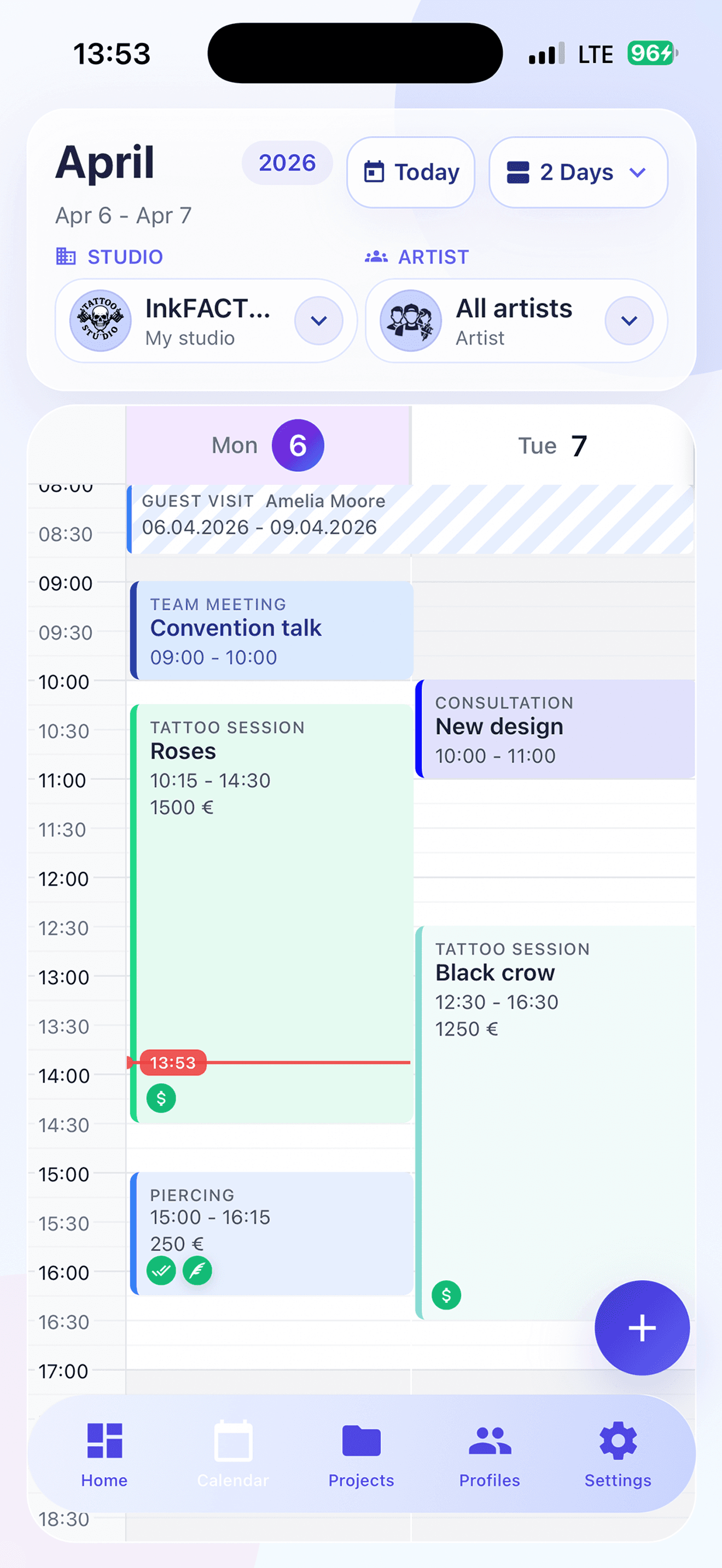
Desktop or mobile, the same studio view follows you across devices.
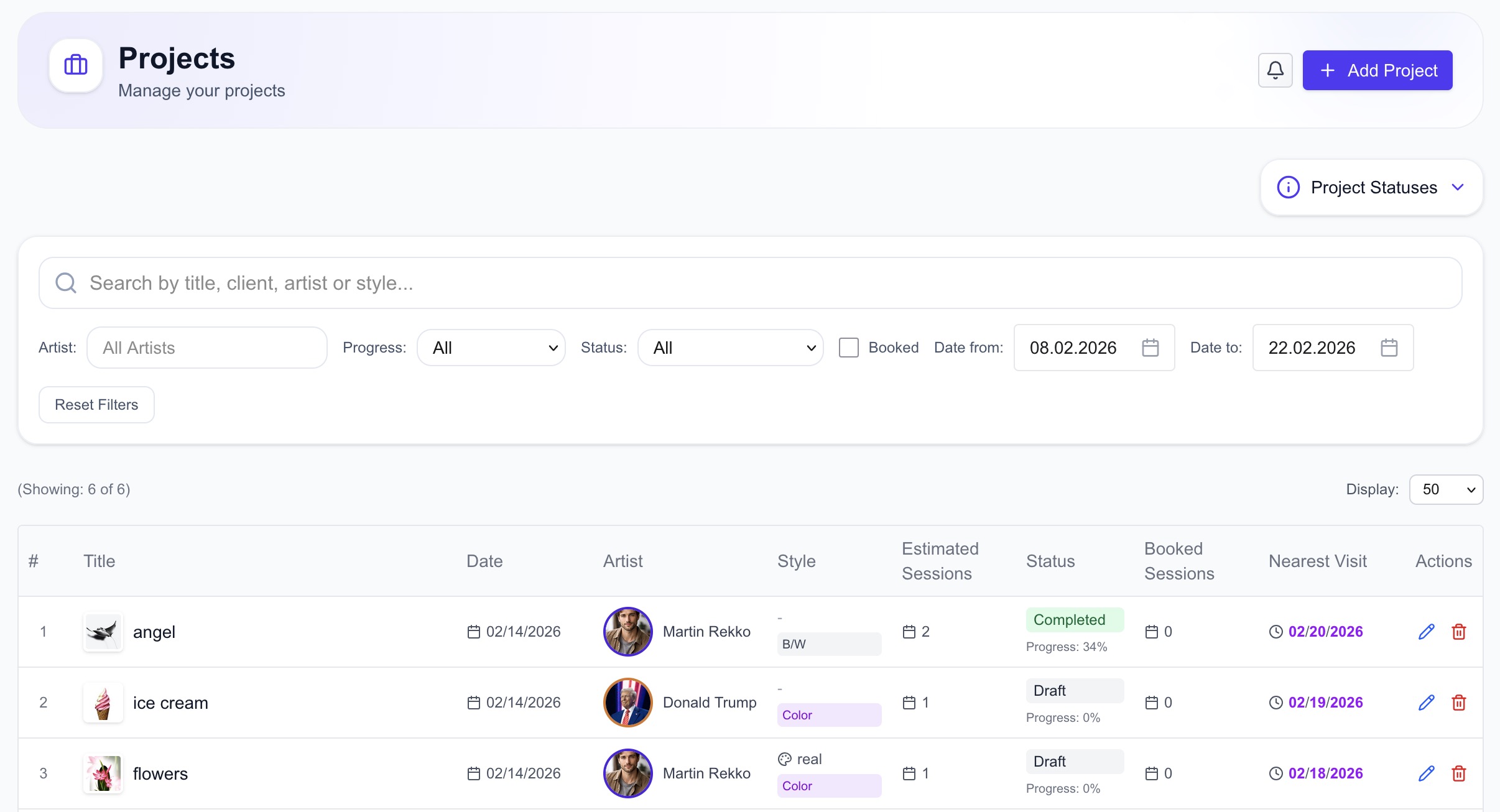
Projects & sessions
Project and session data is kept in one place.
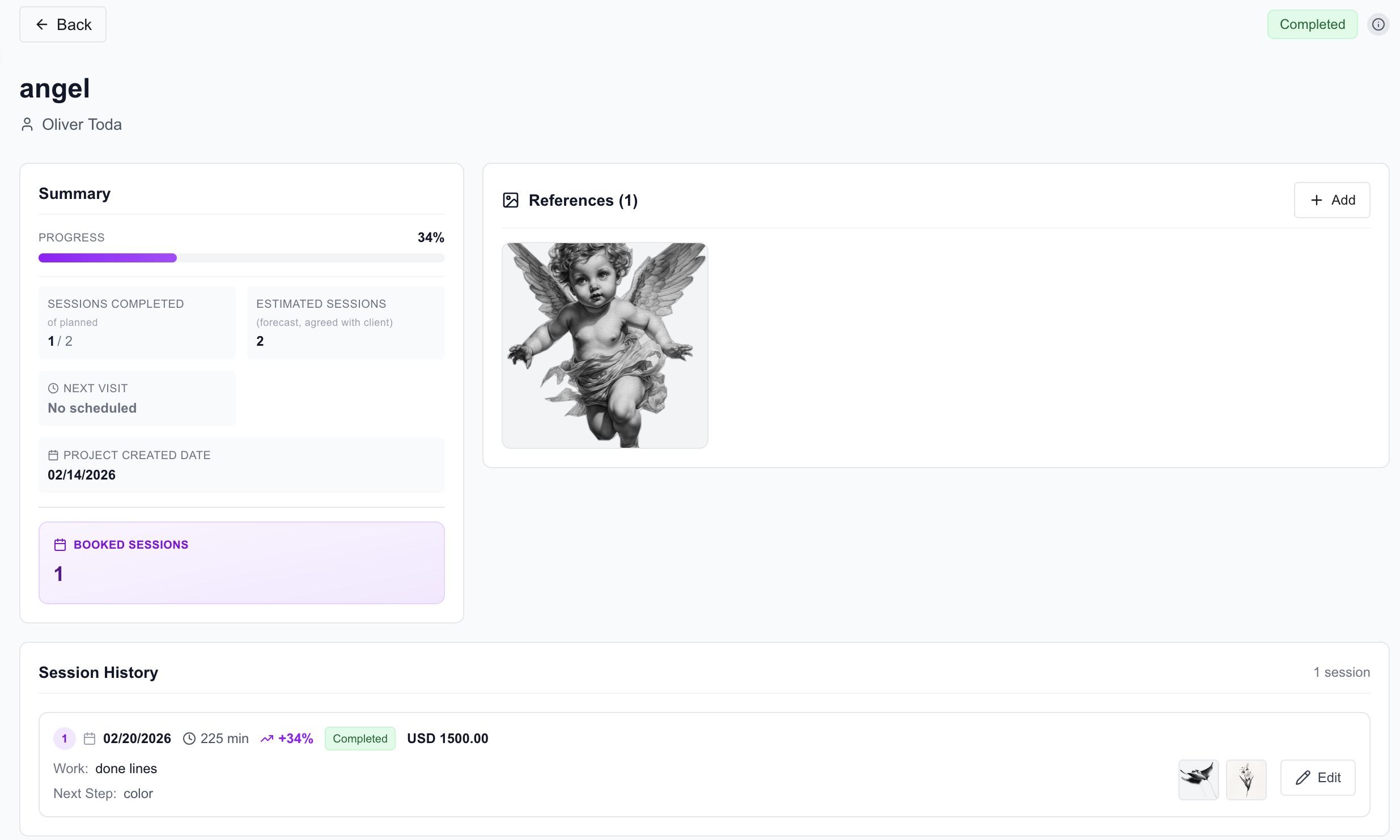
The project card stores current stage, completed sessions, remaining work, references, and notes. The team works in one context without switching between chats and folders.
- You see completed sessions, progress percentage, and next step for each project
- References, photos, and files stay attached to one project record
- Notes are visible to all assigned artists. This is the first step; the next sections show calendar, payments, and team workflow.
Calendar & availability
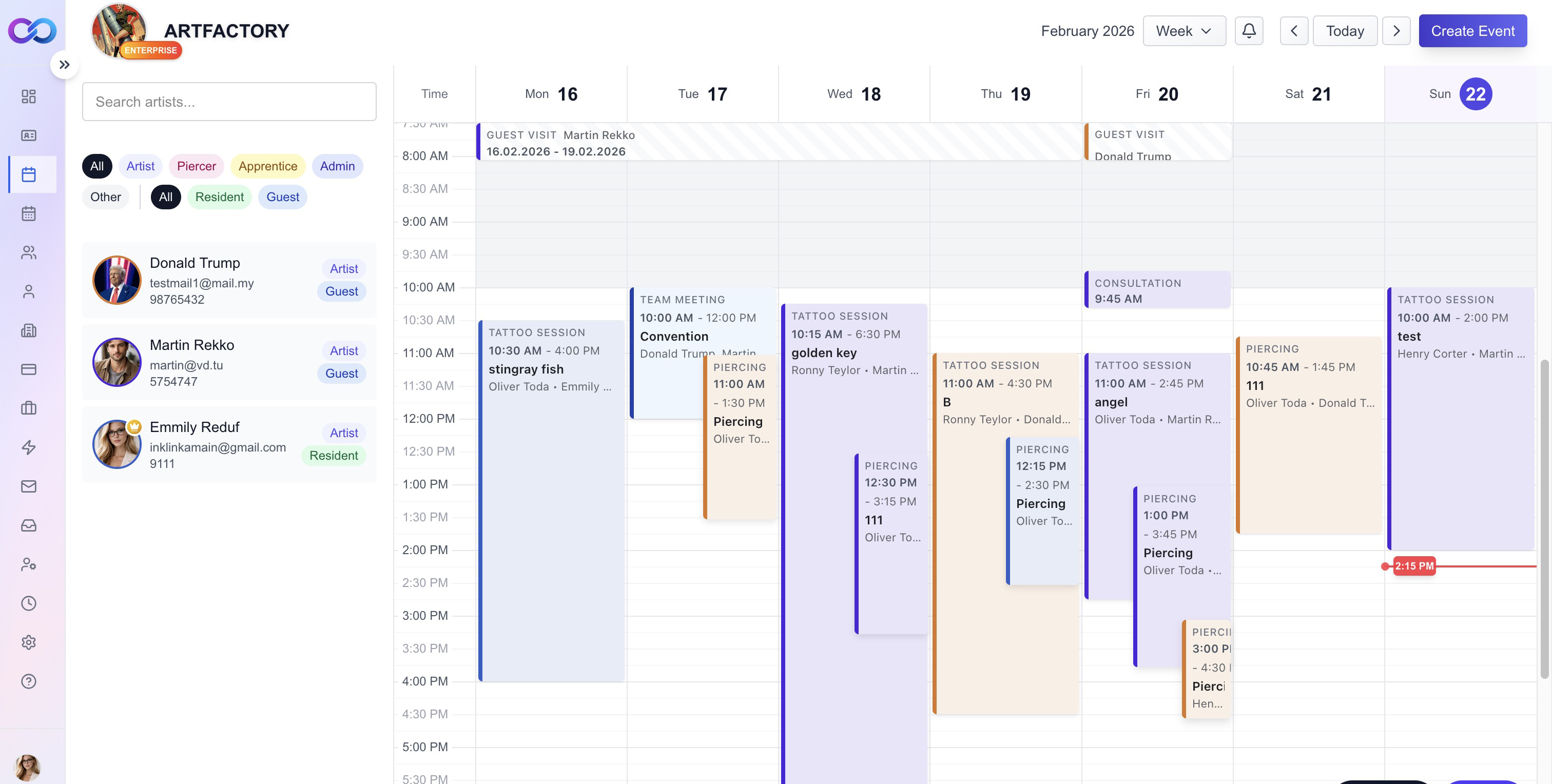
Flexible calendar views with a UI the team can use every day.
Switch between week, month, and schedule views. Guest artists, vacations, client bookings, and workload are visible in one space, so the day stays clear and no details are lost.
- Each participant has a dedicated color, and consultations, team meetings, vacations, sessions, and other event types are shown differently for fast reading. Date navigation, artist search, and more are available.
- All participants receive updates and reminders when events are changed.
- Open any event in one click and see all key details in the event card.
- The card shows linked project, service price, deposit and payment history, and completion status.
Fine line angel
Client profiles
Client profile keeps all working data in one place.
Contacts, linked projects, visits, payments, and notes are stored in one profile. The team sees the full context before each session without switching between screens.
- Linked projects with session history, references, and current status
- Visit and payment statistics: number of visits, last visit, and client revenue
- Consent forms, health notes, preferences, and reminders stay in the same client card
Maya Collins
★★★★☆client@example.com
Team
Manage team members, terms, and performance in one workspace.
Invite new members, assign roles, and keep each person's collaboration terms in their profile. Daily operations stay transparent without manual reconciliation.
- Add and invite team members with clear role access for each person
- Set and update cooperation terms individually: rate per day, hourly rate, and share
- See appointments, revenue, and turnover statistics per team member in one place
Member Card
Payments & payouts
One finance center for studio payments, payouts, and control.
This module consolidates deposits, session payments, team payouts, and expenses. It also manages connected payment services, invoices, and vouchers in one workflow.
- All deposits and payments are tracked by session, client, and project
- Payout accounting for each team member with transparent history
- Connected payment services, invoices, gift vouchers, and expense tracking in one place
- A connected finance workspace for deposits, session payments, payouts, invoices, vouchers and expenses.
Payments
Guest visits
Invite guest artists and manage their visits directly in the calendar.
Guest visits are scheduled and booked in calendar views with role limits and visit windows. This helps track studio load and plan sessions without overlaps.
- Invite guest artists, set visit dates, and reserve slots in the calendar
- Track studio load by guests and team to keep the schedule balanced
- Week, month, and schedule views help review guest visits from different angles
Widgets & more
Configurable widgets for booking flow, deposits, and website communication.
Customize widget design to match studio branding, collect booking requests and deposits, and send all data directly into the system for further automation.
- Booking form requests and deposit payments are captured and converted into events automatically
- Website chat widget integrates with your communication flow and keeps requests in one queue
- Widget appearance, actions, and scenarios are configurable for studio workflows
- Fits project workflows: less manual entry, faster response, cleaner scheduling
Quick reminders
Follow-ups and today priorities
Shared notes
Studio notes for shifts and handoffs
Utility actions
Templates, labels, and routine actions
Mini planner
Day view without switching screens
Explore InkLinka by workflow
Choose the workflow you want to improve first.
A calm workspace for a busy studio.
Set up once, then let your day run smoothly. InkLinka keeps your work connected without adding noise.